
Shop Status
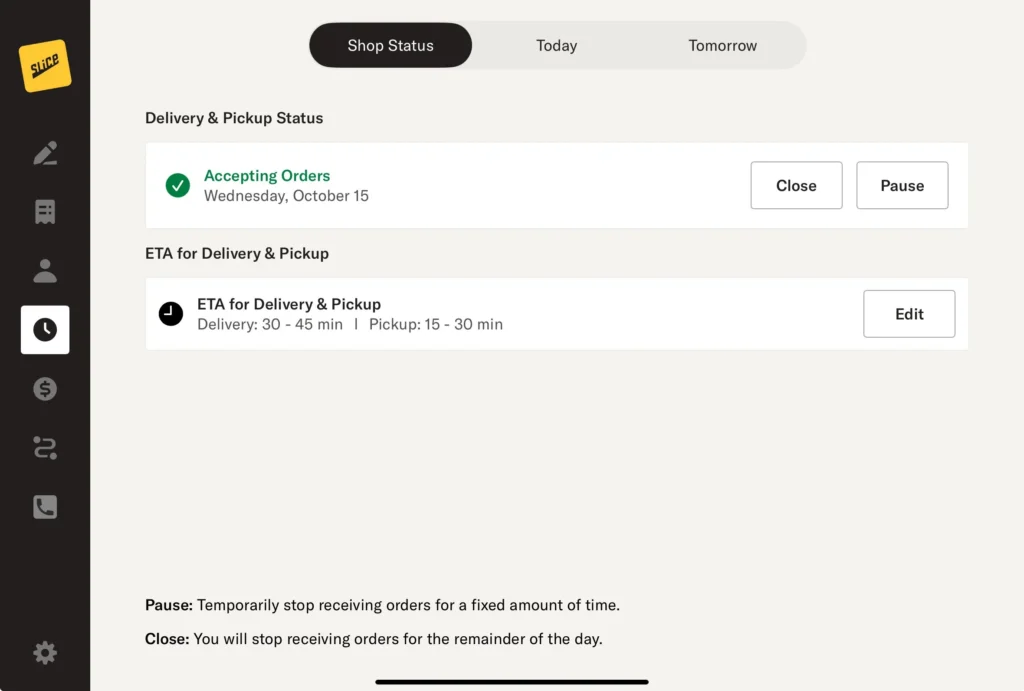
The Shop Status page helps you manage your shop’s availability, estimated preparation times, and operating hours. This ensures your customers always have accurate information about your services. Here’s how to navigate and utilize the Shop Status page:
Shop Status
This tab allows you to control whether your shop is accepting orders.
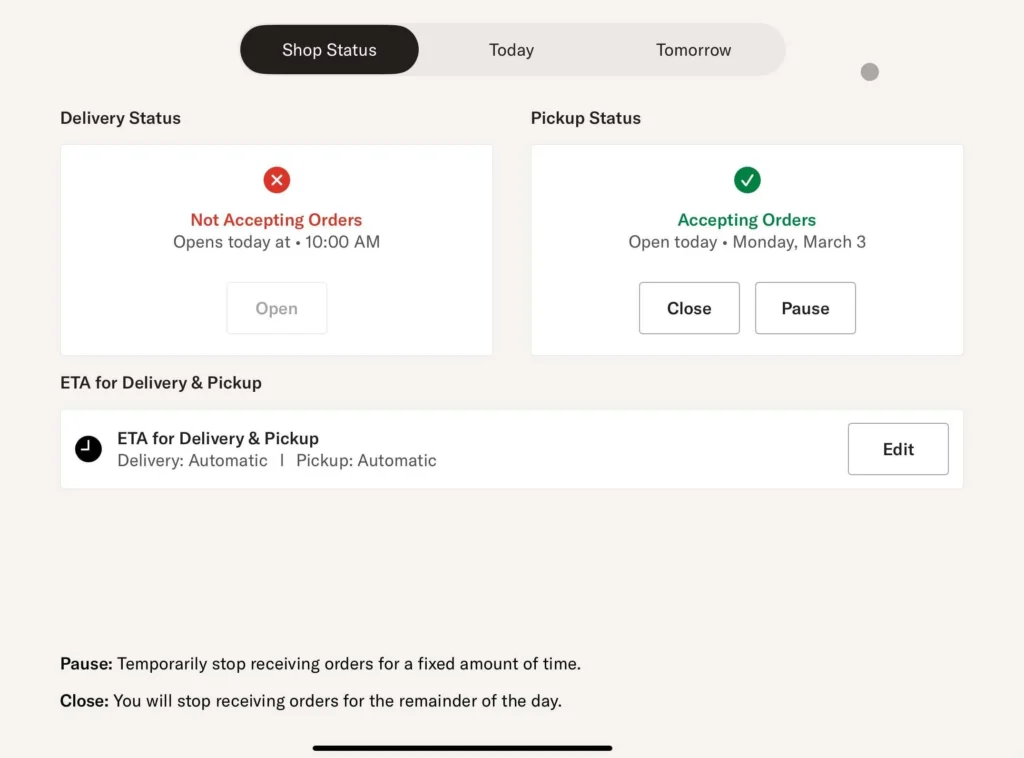
Pickup and Delivery Status: You can pause or close pickup and delivery services independently. If both are available, the screen will display a single “Accepting Orders” status instead of showing them separately.
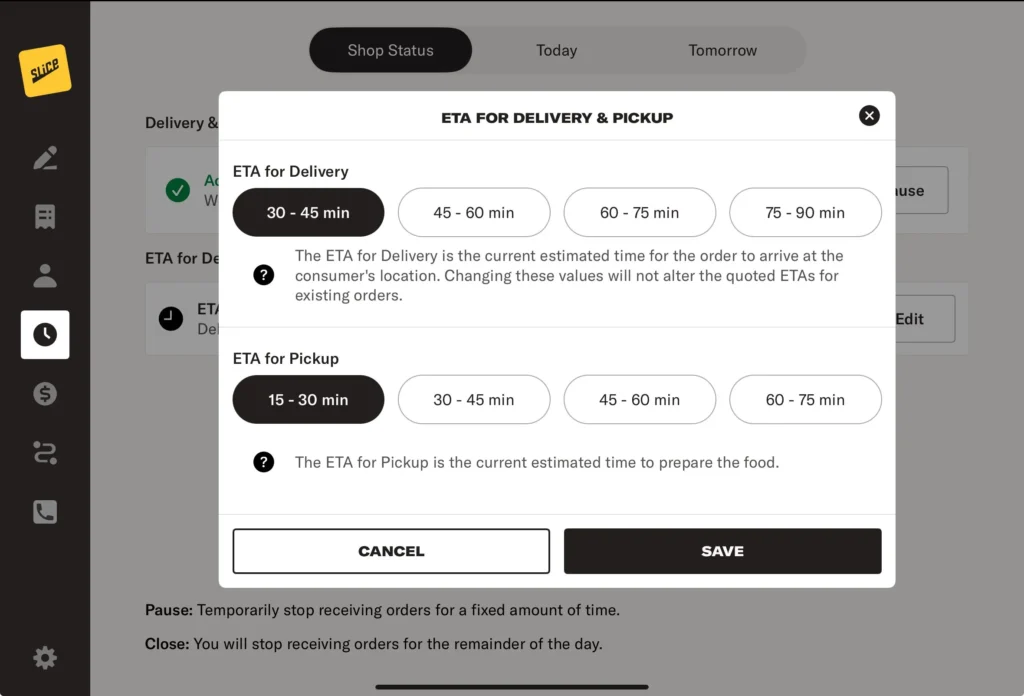
ETA for Delivery & Pickup: Displays the estimated preparation time for both order types. Tap ‘Edit’ to adjust these times. The shortest prep time set here determines the first available time shown when confirming an order, with additional options increasing in 15-minute intervals.
Pause vs. Close:
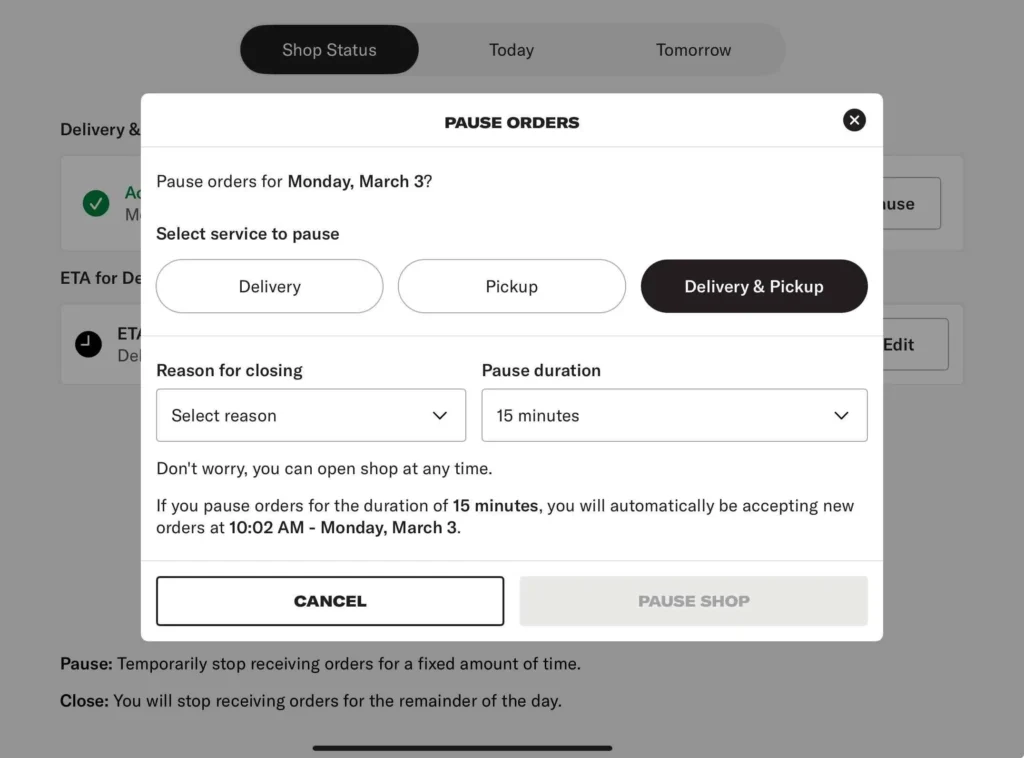
Pause: Temporarily stop receiving pickup, delivery, or both for a set time. Select a pause duration, choose a reason for pausing, and orders will automatically resume when the time expires. You can manually reopen your shop at any time before the pause ends.
Close: Stop receiving orders for the remainder of the day.
Note: Pausing or closing orders affects Slice online orders and Slice Phone orders—third-party orders will not be impacted.
Today
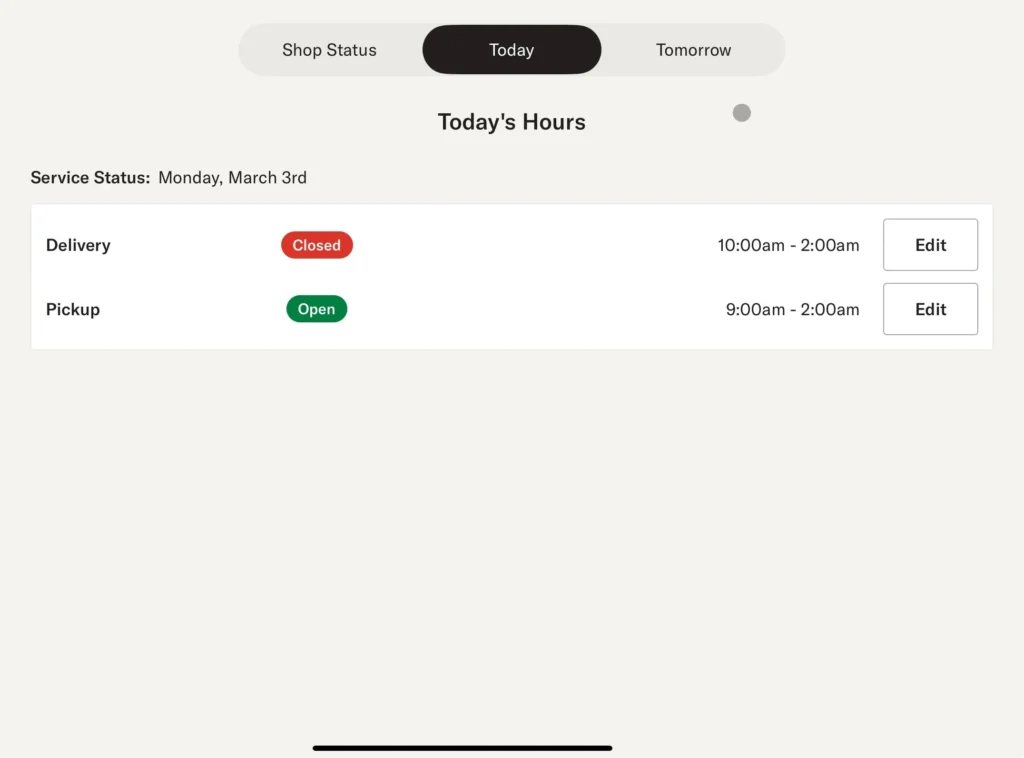
This tab shows your shop’s hours for the current day.
- Delivery and Pickup Hours: Displayed separately.
- Edit Hours: If changes are needed, tap ‘Edit’ to adjust today’s hours.
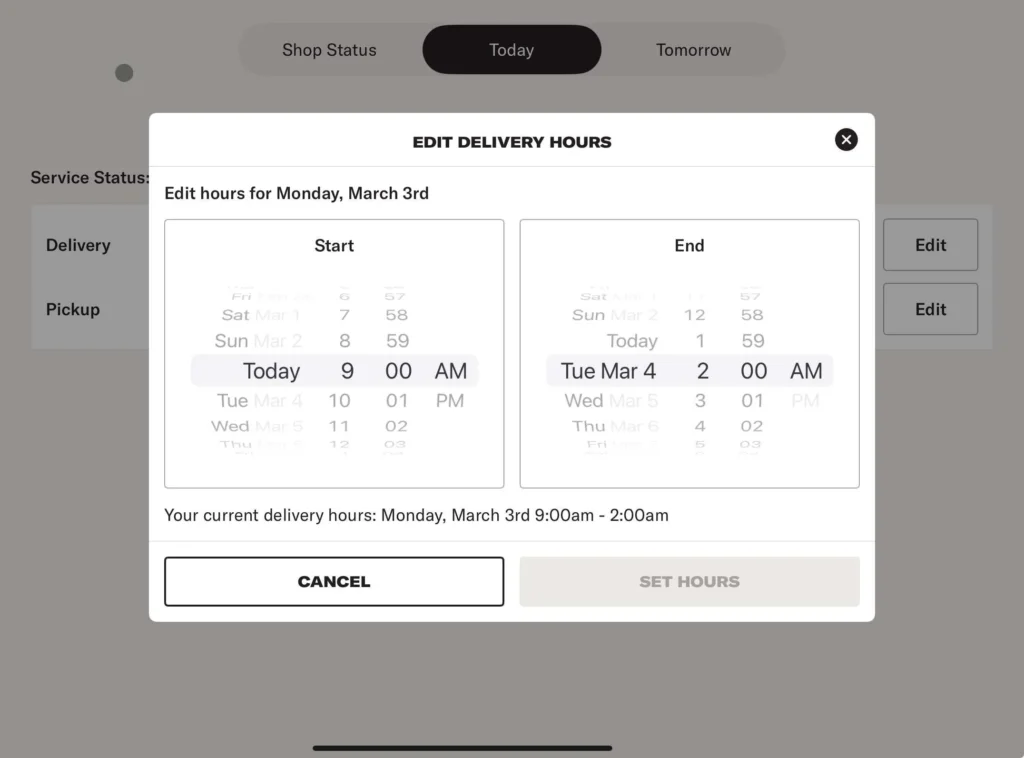
Changing today’s hours will not impact your regular hours listed in the Slice Owner’s App.
Tomorrow
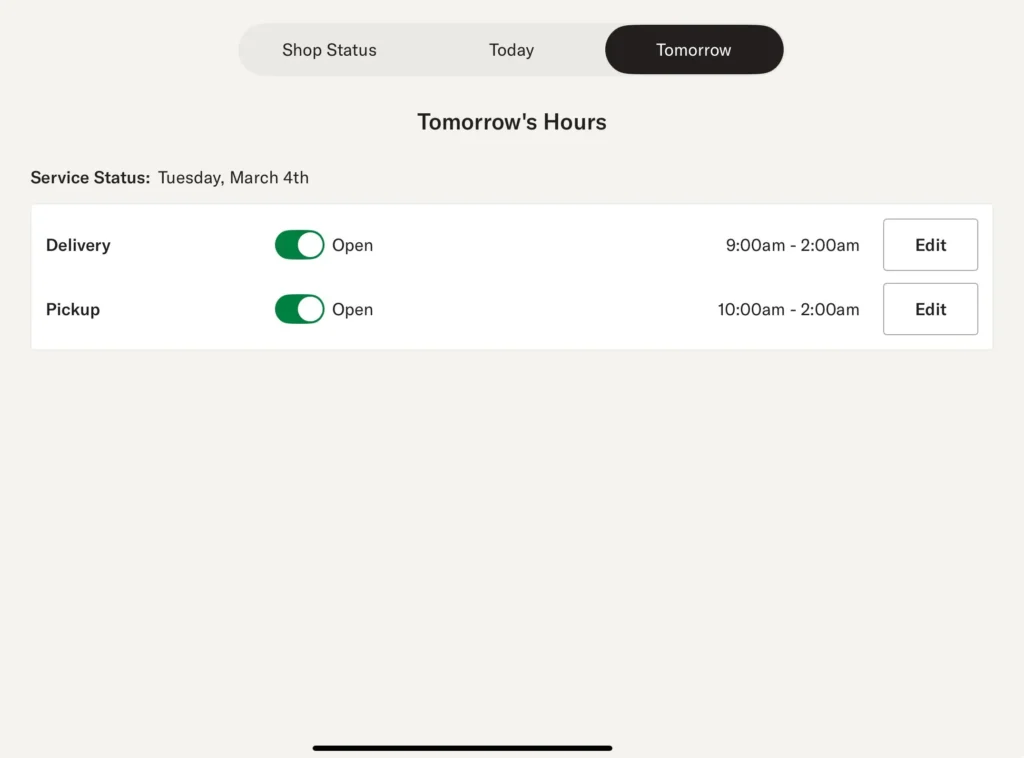
Tomorrow: This tab allows you to view and update your shop’s hours for the next day.
You can toggle Delivery and Pickup on or off for tomorrow.
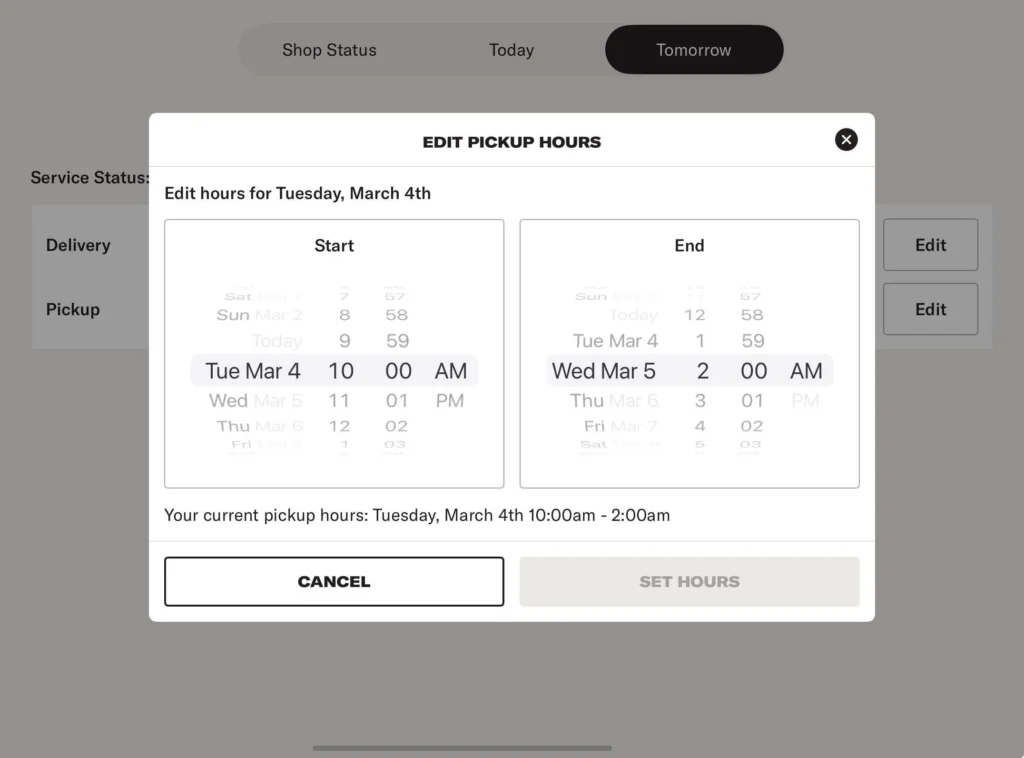
Tap Edit to adjust the hours.
Changing tomorrow’s hours will not impact your regular hours listed in the Slice Owner’s App.
Changing tomorrow’s hours will not impact your regular hours listed in the Slice Owner’s App.
Changes made on the Shop Status page take effect immediately.