
Getting Started

The Slice Owner’s App gives you full control over your shop, no matter where you are. Whether you’re managing orders, updating your menu, or tracking sales, you’ll have real-time access to your business right from your phone.
Accessing the Owner’s App
Download the Owner’s App:
- iOS (Apple):
- Open the App Store on your iPhone or iPad.
- Search for “Owner’s Portal by Slice” in the search bar.
- Tap Download and wait for the app to install.
- Android:
- Open the Google Play Store on your Android device.
- Search for “Owner’s Portal by Slice” in the search bar.
- Tap Install and wait for the app to finish downloading.

Logging In to the Owner’s App
- Open the Owner’s App on your device.
- Tap Sign In.
- A message will appear asking if you want to continue at Slicelife.com. Tap Continue.
- Enter your registered email address and tap Continue.
- Enter your password and tap Continue.
- If you have multiple shop locations, select the appropriate location to proceed.
Forgot Your Password?
Tap “Forgot password?” on the login screen if you forget your password. Follow the prompts to reset your password via email. If you forget the email address linked to your account or need assistance, call (888) 974-9928 for 24/7/365 live support.
Dashboard
The Owner’s App Dashboard provides the most important information about your shop at a glance while including quick actions to speed up common tasks.

Location: At the top left of the dashboard, the location selector lets you switch between multiple shop locations using a dropdown menu. If you manage more than one shop, tap the selector to choose the location you want to view.
Shop status: Displayed at the top right as your shop logo, the status is indicated by color: green for open, orange for paused, and red for closed. Tap the logo to update your status, pause online ordering, view your schedule, or edit your hours.
Today’s sales reporting: See today’s sales, orders, and voided transactions with live updates. This section also compares today’s performance to the same day last week.
Insights: View key trends such as changes in sales and order volume to track your shop’s performance.

Sales Breakdown: View sales across online, register, and third-party channels. A chart shows sales distribution, with a breakdown of totals and percentage changes for each channel.
Average Order Value (AVG/ORDER): Track the average amount spent per order, broken down by sales channel. A bar chart highlights spending trends across online, register, and third-party transactions.

Customer Insights: Track new, repeat, and loyal customers based on their order history.

Your marketing: See how your emails, push notifications, and promotions perform based on reach, orders, and sales.
Emails: Shows how many customers received your emails and total orders and sales from email campaigns sent through Slice.
Push notifications: Displays order and sales data from push notifications sent to your customers.
Promotions: Shows the impact of promo codes on orders and sales.
Create a discount: Tap Create to start a new discount campaign. This will take you to the Discounts section in the Owner’s App, where you can create and manage active shop-wide or time-limited discounts.
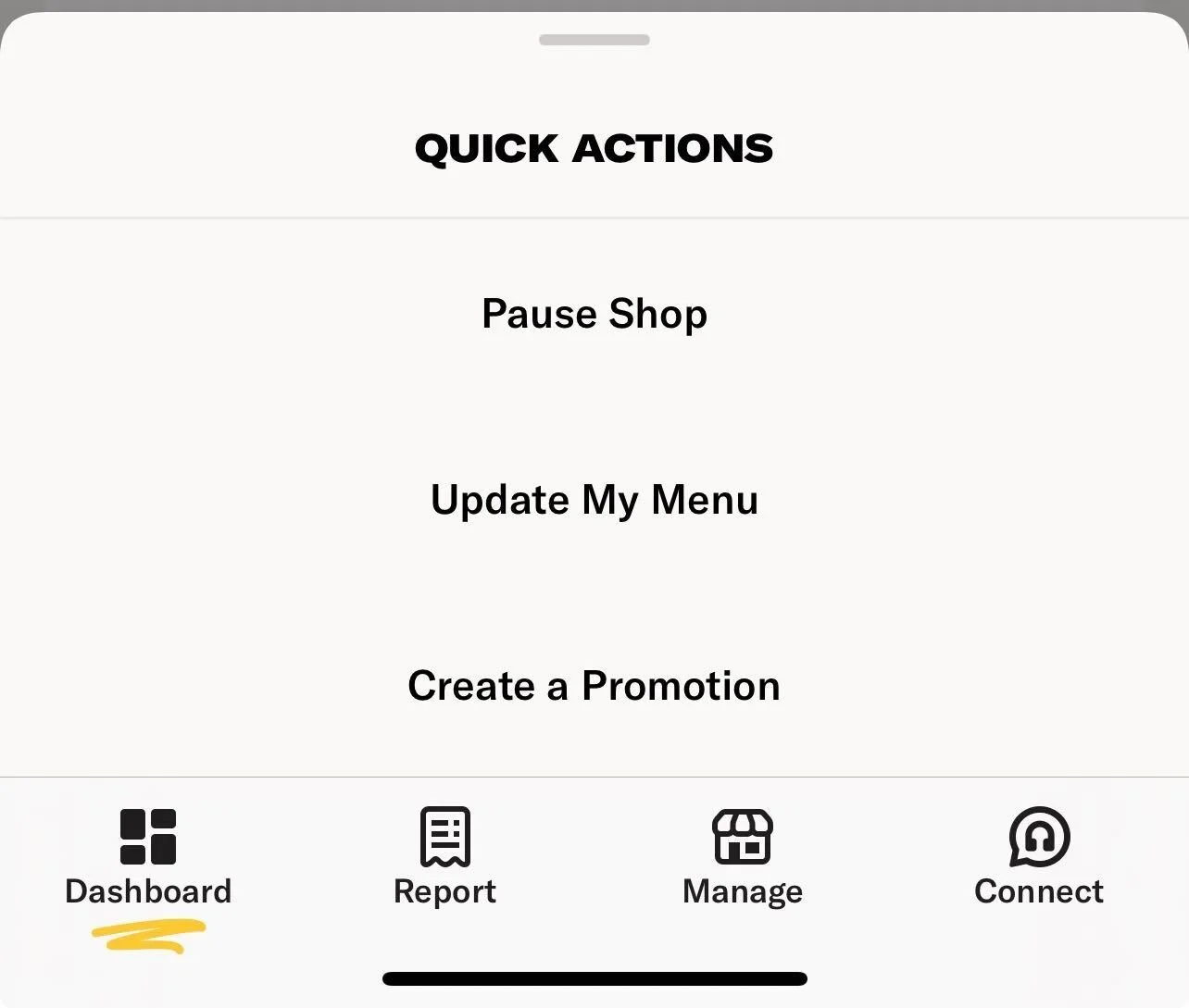
Quick Actions: Pause online ordering, update menu availability, and create promotions directly from the dashboard.
Owner’s App Live Sales Widget

The real-time sales widget displays your shop’s daily statistics directly on your iPhone’s home screen.
At a glance, you can see:
- Total sales
- Total number of orders
- Number of voided sales
- Comparison to the same day last week
Stats update automatically every few minutes.
Add the widget to your home screen:
Press and hold an empty area on your iPhone home screen
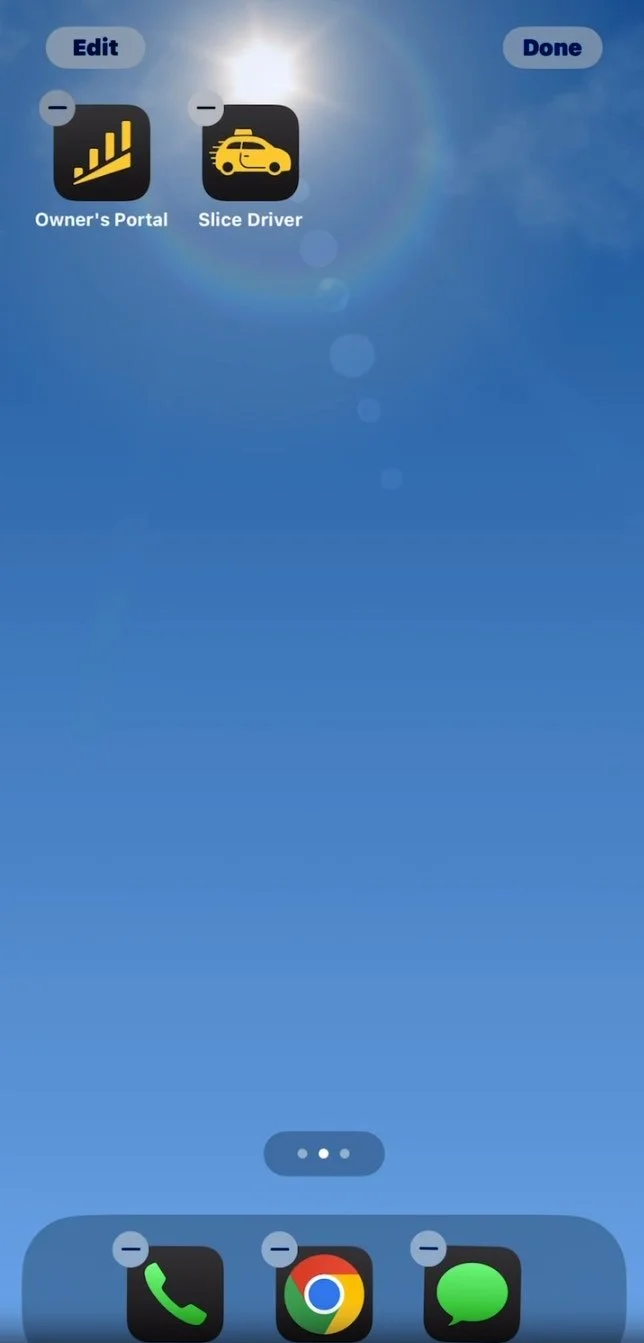
Tap Edit in the top left corner

Select Add Widget
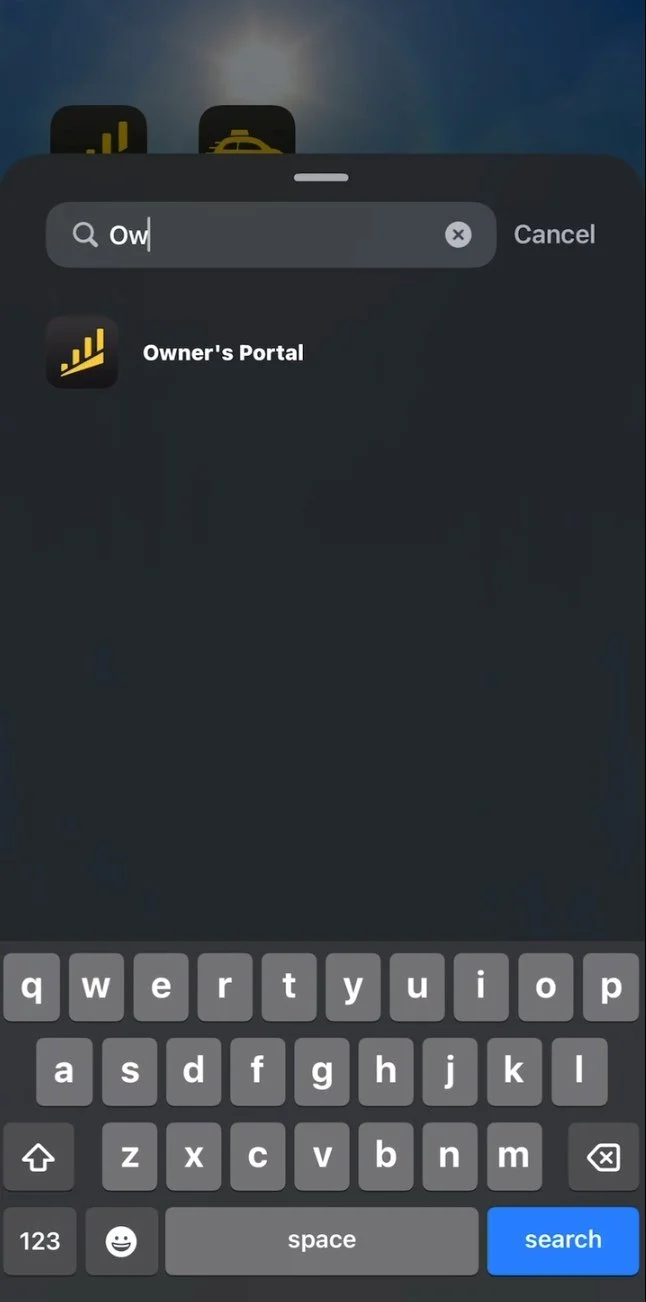
Search for Owner’s Portal in the widget search bar
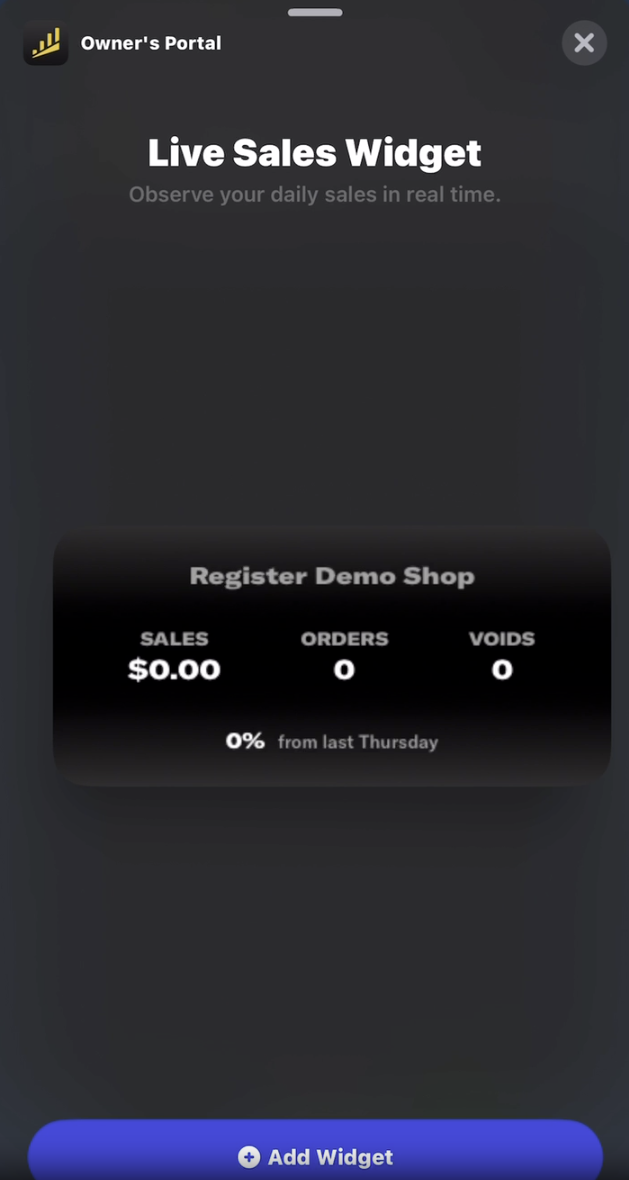
Tap “Add Widget”
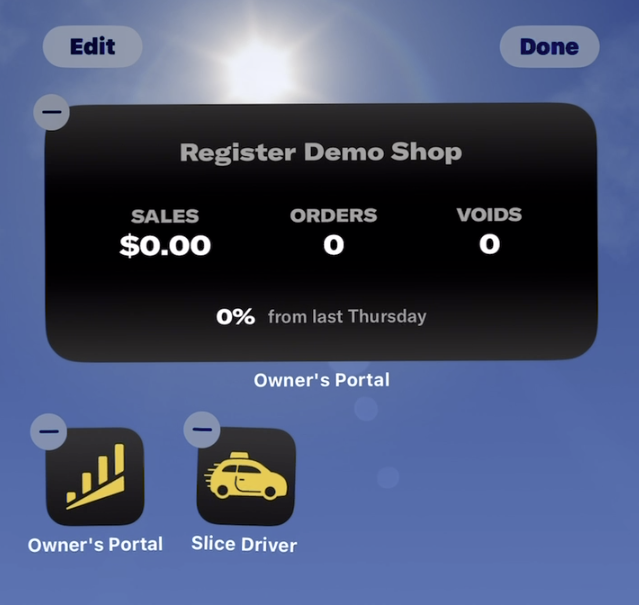
Drop the widget in the desired location, and then tap “Done” in the top right corner.
You can add the widget to your home screen or Today View.
Troubleshooting
- If the widget says Connect to Slice, make sure you are logged into the Owner’s App and have allowed access
- The widget only works for shops using Slice Register
- If stats are not updating, try restarting your phone or re-adding the widget
For help, call Slice Support at (855) 237-4992.