
Slice App
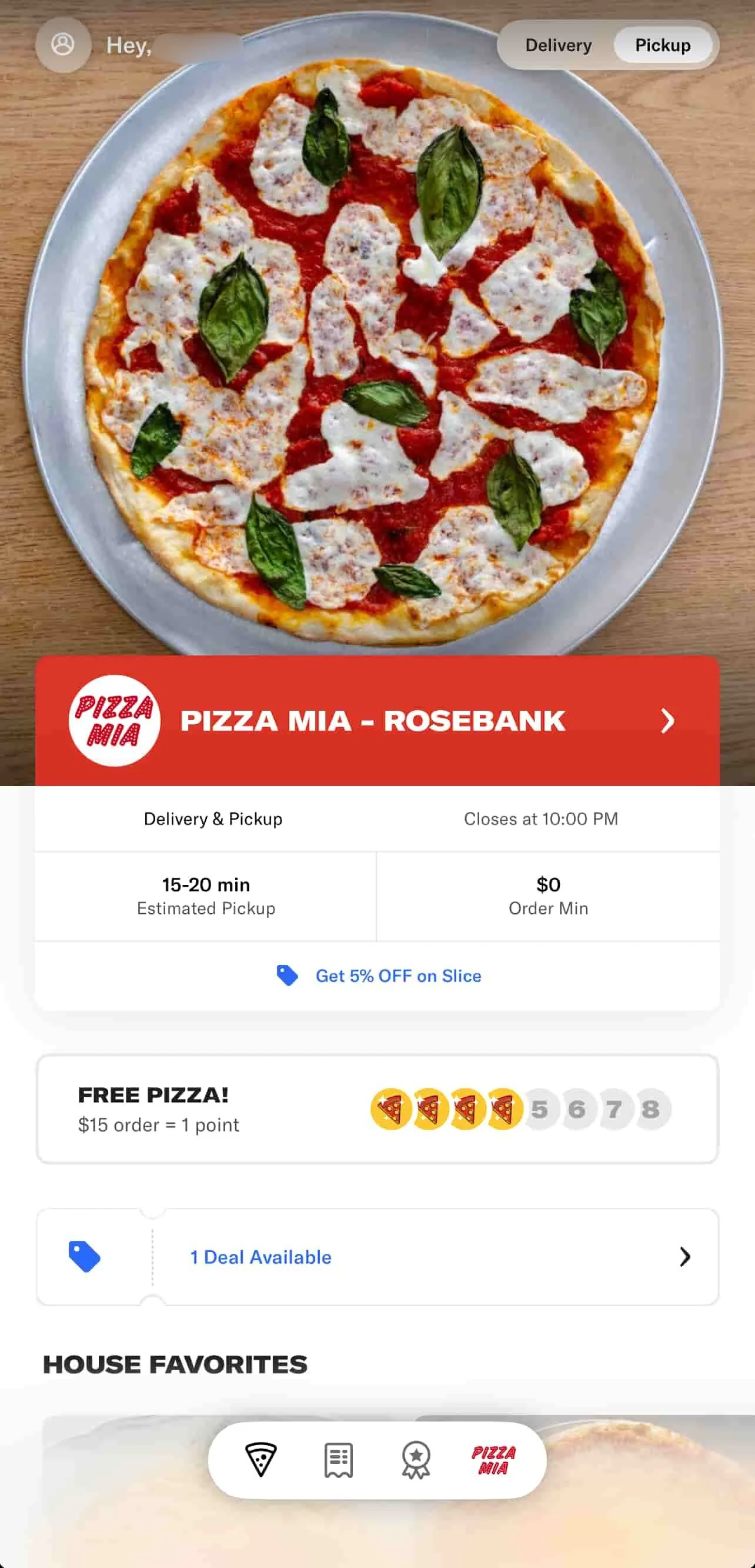
The Slice App gives your customers an easy way to order directly from your shop on their phone. It highlights your pizzeria first, making it easy for loyal customers to return and reorder, while also reaching new customers through the Slice network.
All the information displayed in the app, including your menu, hours, photos, and promotions, is managed through the Owner’s App (web). Any updates you make will automatically sync to the Slice App in real-time.
How your shop appears in the Slice App
The app opens to your shop for returning customers, showing your:
- Logo and photos to match your brand
- Shop colors, story, and hours so customers know who they are ordering from
- Delivery estimates based on your current delivery settings
- House favorites and best sellers curated from your top-selling items
- Coupons and loyalty points, which update automatically when you add offers in the Owner’s App
Customers can still browse other pizzerias if they want, but your shop remains their default whenever they return.
Browsing the menu
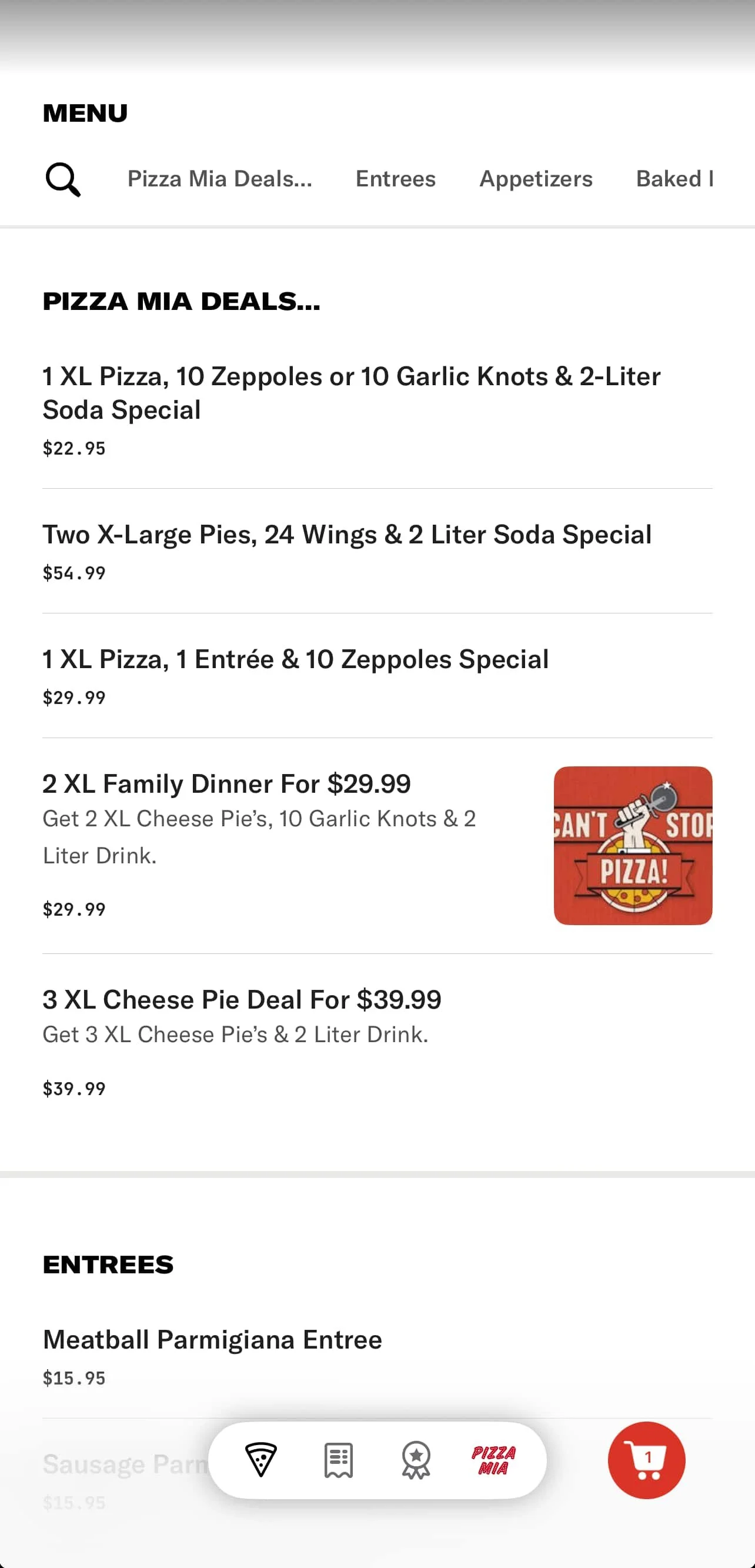
Customers can navigate your menu categories, including Deals, Entrees, Appetizers, etc., using a horizontal menu bar located at the top of the screen.
If your shop is closed, customers can still schedule orders in advance based on your hours in the Owner’s App.
Customizing items

When a customer selects an item:
- They choose the size or type first. If only one option is available, it is selected automatically.
- They can add optional toppings or ingredients. If you offer half toppings, customers can choose the left half, the right half, or the whole pizza.
- At the bottom of the order, customers can add special instructions for your kitchen.

If a request requires an extra charge, you can manually adjust the total in the Order Management screen on your iPad before finalizing the order.
Reviewing and placing orders

Before checkout, customers can:
- Review all items in their bag
- Log in or enter contact information
- Select pickup or delivery, based on your settings
- Choose a payment method
- Add a tip for pickup or delivery
- Enter pickup instructions or apply a promo code
You can create and manage promo codes in the Owner’s App (web).

Utensils and packaging
At checkout, customers are asked whether they would like napkins or utensils included with their order. This helps reduce waste and meet local requirements.
If your shop does not offer utensils, call (888) 974-9928 to disable this question for your customers.

Tipping and payments
- Pickup tips go directly to your shop.
- Slice Delivery tips go to the driver assigned to that order.
- All payments are processed through the Slice App checkout, and orders print automatically on your Register or connected printer once confirmed.