
Pizzeria Website
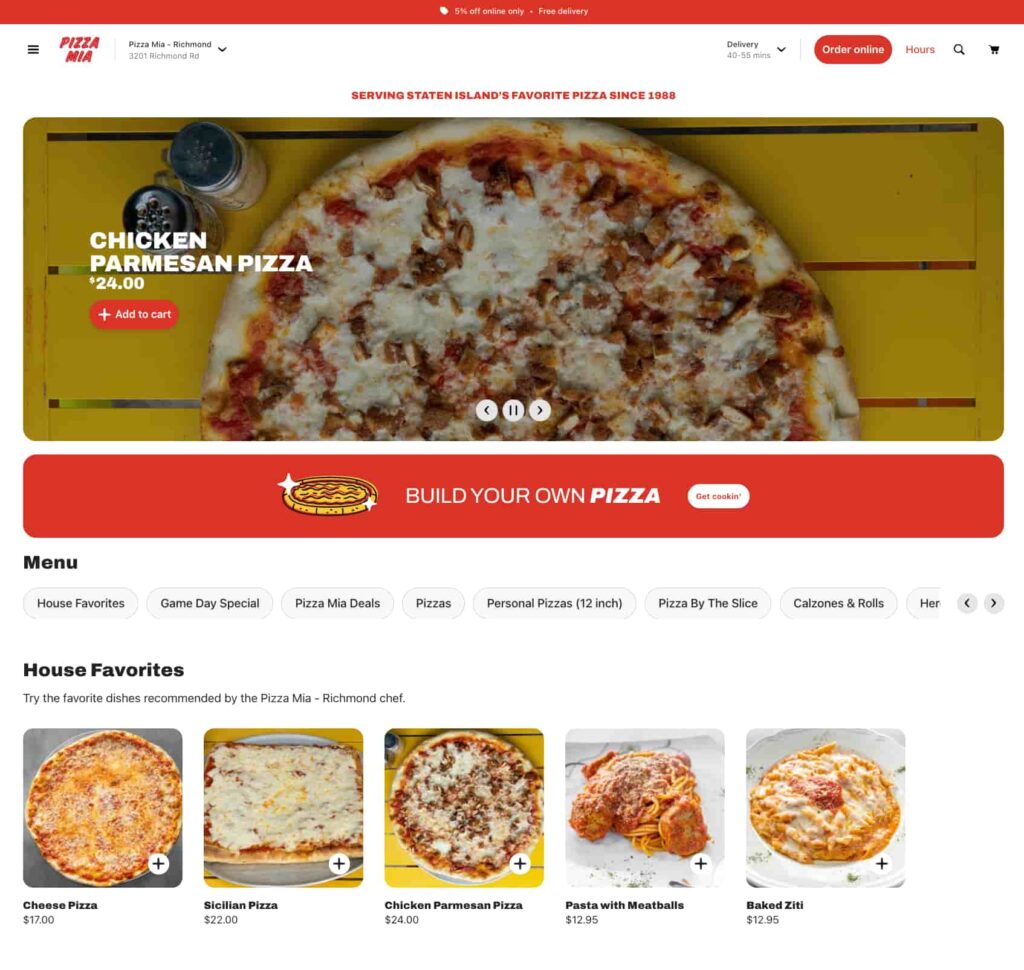
Your Slice Online Ordering Page gives your customers a quick, convenient way to order the pizza they love, while letting you focus on what you do best: making pizza! Here’s how you can manage your online menu through the Owner’s App – Web:
- Business Hours: Adjust your ordering hours in the Owner’s App to control when customers can place online orders.
- Menu Categories & Layout: Reorganize your menu sections and reorder items within each category to highlight bestsellers or seasonal specials.
- Item Availability & Pricing: Mark items as sold out or temporarily unavailable and update pricing as needed.
- Online Discount: Adjust your online order discount in the Owner’s App to offer special deals to your customers.
Changes made in the Owner’s App (web) update your Slice Online Ordering Page in real time, ensuring customers see the most up-to-date menu and pricing.

Customers must first select the size or type when selecting an item. If the item only has one type, that will be automatically selected. Optional add-ons, like toppings or extra sauces, can also be selected, but no option will be automatically selected. If your shop offers half toppings, customers can add them to the left half, right half, or the whole pizza.

At the bottom of the item, customers can include notes for the kitchen. If a customer requests something that requires an additional charge, you can manually adjust the total on your iPad’s Order Management screen.

The checkout page allows customers to review their order, log in or enter contact details, select a payment method, and choose whether to include utensils. Before completing their order, they can edit/remove items, add a tip, and apply a promo code. You can add new promo codes on the Owner’s App
The Napkins & Utensils Opt-In ensures customers are asked at checkout if they want utensils included, helping reduce waste and comply with local laws. If your shop does not offer utensils, call (888) 974-9928 to disable this question for your customers.
For tipping, pickup tips go directly to your shop, while Slice Delivery tips go to the driver.