Delivery Management
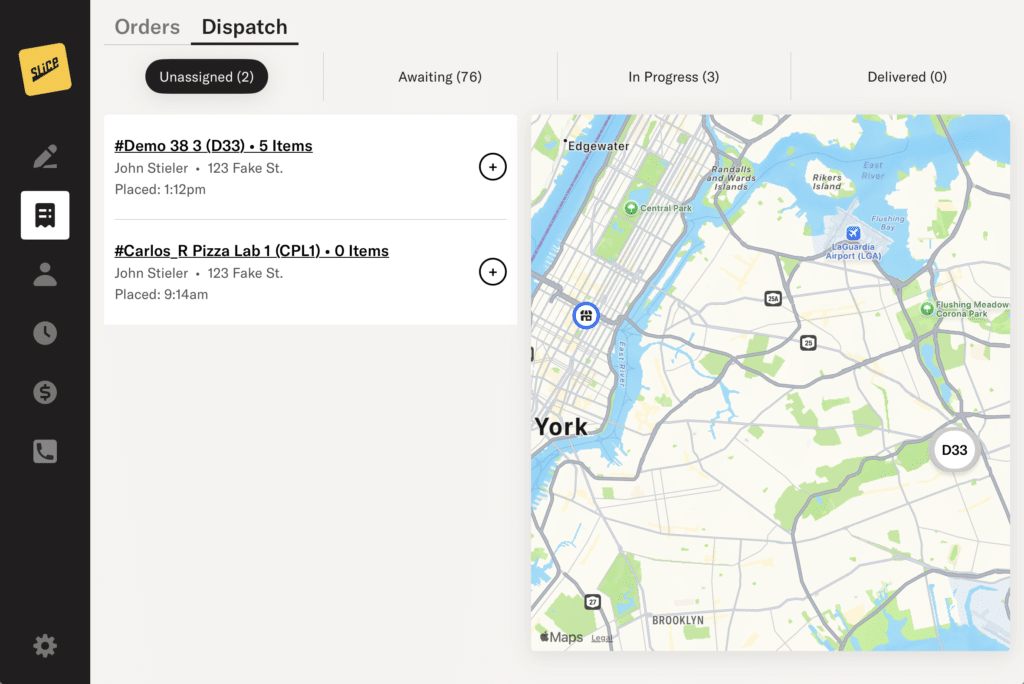
The Delivery Management page helps you organize and track your delivery orders from the moment they come in through delivery. This page works with the Slice Driver App so you can assign orders, create batches, follow your drivers, and confirm completed deliveries.
The page includes four sections:
- Unassigned: Delivery orders that have not been added to a batch.
- Awaiting: Batches that have been created and assigned but not yet started.
- In progress: Batches that the driver has started in the Driver App.
- Delivered: Batches where all orders have been marked as delivered.
Unassigned Orders
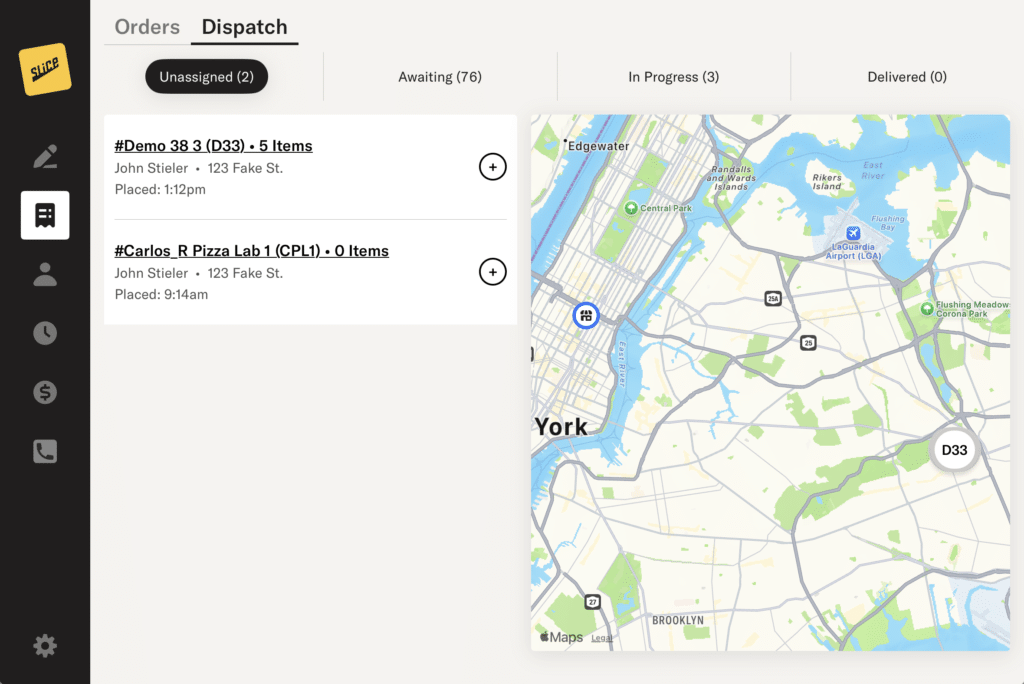
These are paid delivery orders or pay-on-delivery orders awaiting assignment to a driver. Each order shows the order number, delivery address, and estimated arrival time to help you decide how to group them.
You can select orders from the list or from the map. Each selected order will show a number. The numbers show the sequence your driver will follow during the delivery run.

Creating a Batch

- Go to Unassigned.
- Tap the + next to each order you want to include, or tap the order pills on the map.
- The order in which you select the deliveries sets the delivery route.
- To change the sequence before creating the batch, tap an order again to remove it, then tap it again when you want to add it back.
- Tap the arrow to open the list of active drivers and select the driver for the batch.
- Note: Drivers must be logged in and marked Available to receive batch assignments. The Driver App does not send alerts for new batches, so drivers must check the app to see new assignments.
- Tap Confirm Batch.
The batch is now created and moves to Awaiting.
If you are using Flex Delivery, you can also choose to assign a delivery to your selected Slice Delivery provider, Uber or DoorDash. In the same list that you see your in-house drivers, you will also find Slice Delivery, as shown below.
Simply select that option, tap Reassign Delivery, and we will send an outsourced driver to deliver your order.
Awaiting

These batches are ready but have not been started by the driver. While a batch is in this status, you can still make changes.
To edit a batch:
- Go to Awaiting.
- Tap the batch from the list or map to open its details.

- Tap the “…” button, then select Edit.
- Make your changes. You can:
- Change the driver
- Add deliveries
- Remove deliveries
- Change the sequence

- Tap Update Batch to save your changes.
If a batch should no longer be used or the delivery was completed outside the app, open the “…” menu and use one of the manual actions:
- Complete moves the batch to Delivered.
- Delete removes the batch and sends the orders back to Unassigned.
In Progress

Once the driver starts the batch in the Driver App, the batch moves to In Progress and can no longer be edited. Orders in the batch will update as they are delivered.
From this page, you can check:
- Which orders have been delivered
- The time each order was delivered
- The driver’s current location on the map
Delivered

This page shows all completed batches. Each batch includes a list of its orders along with delivery timestamps.
If an order shows as unpaid, it is a cash order that must be marked as paid from Order Management.
Marking Orders as Paid
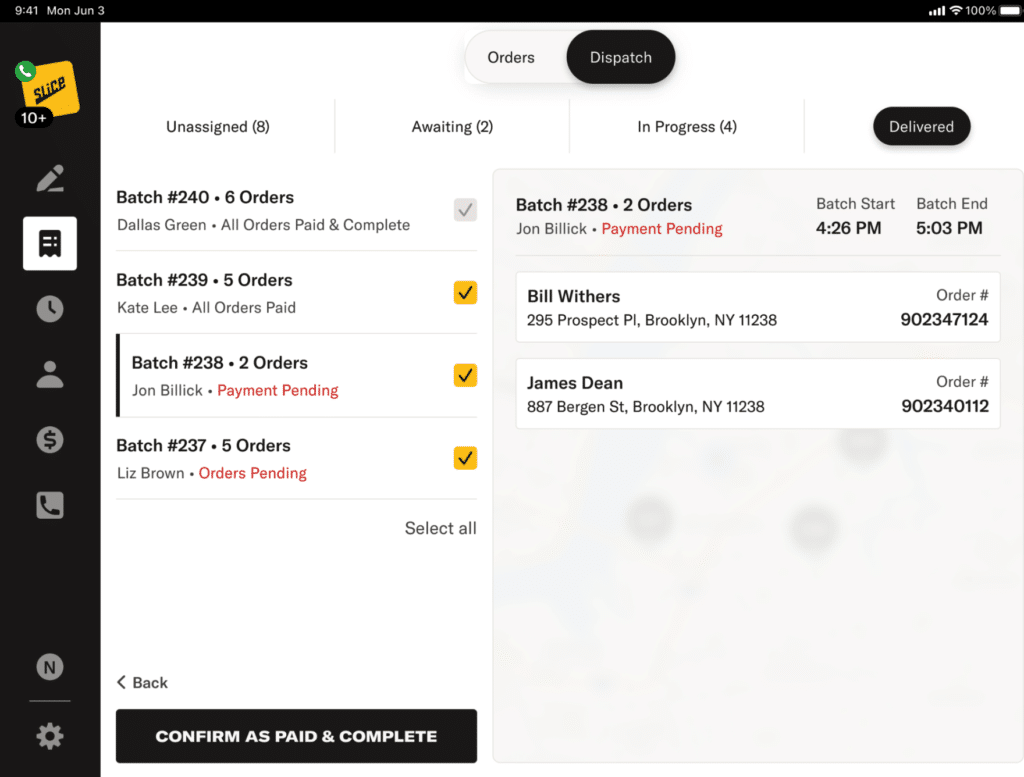
In order for orders to show up in reporting, they must be marked as PAID. To quickly mark all your cash deliveries as paid, use the bulk update feature. To use this feature, select the batches with the orders you want to mark as paid. There is a “Select all” option to select all batches.
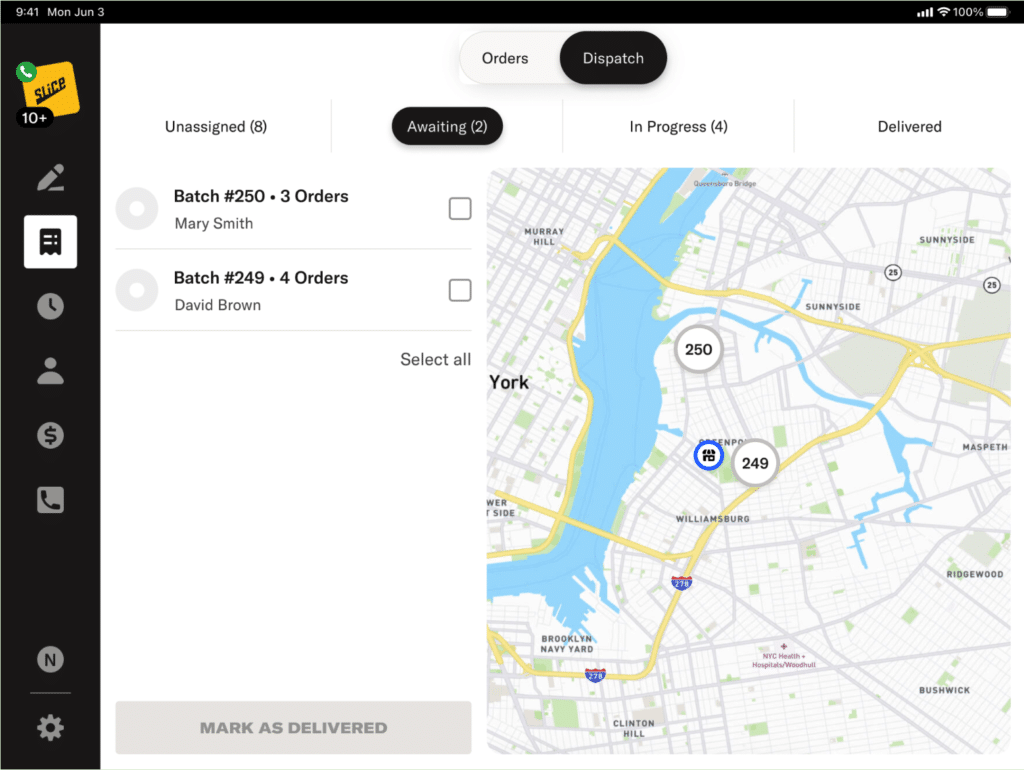
After selecting the batches, tap “Mark as Delivered”. These steps are the same for both Awaiting and In Progress batches.
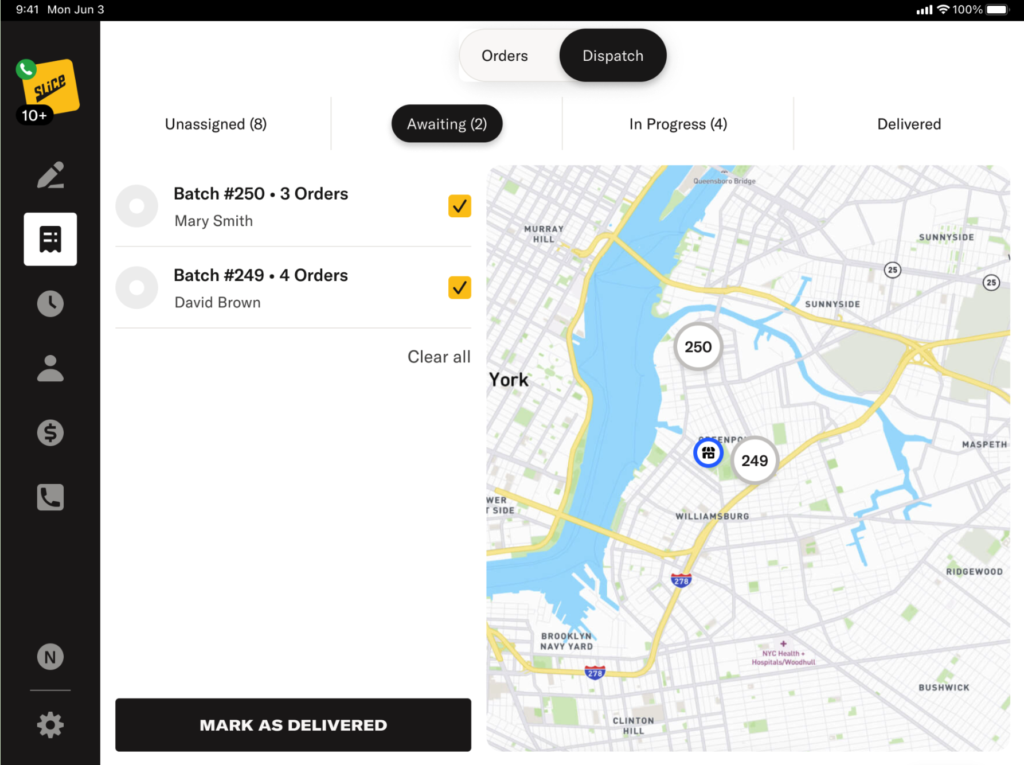
After marking the batches as delivered, navigate to the Delivered tab. The steps are similar as before. Select the batches with the orders you want to mark as Paid and Complete.
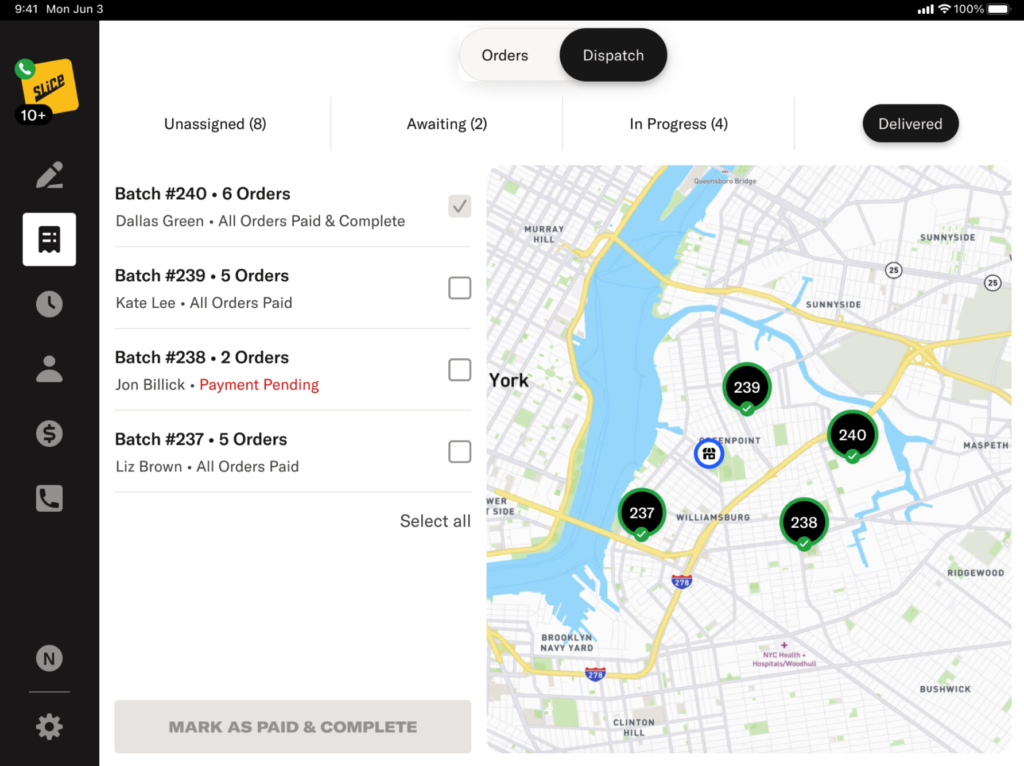
Then, tap Mark as Paid & Complete to update all orders in the selected batches.