Slice Delivery

Slice Delivery takes the hassle out of delivery by connecting your shop to a network of local drivers. You make the food — we’ll handle getting it to the customer. No apps to juggle, no phone calls to make, and no drivers to manage. Just more orders out the door, delivered fast and reliably.
Getting started
To enable Slice Delivery, let your Account Manager know or call Slice Support at (855) 237-4992.
We’ll help you configure the following:
- Delivery radius: Up to 8 miles from your shop (distances vary by location)
- Delivery fee: You choose how much of the fee the customer pays and how much you want to cover (fees vary by location)
- Order minimum: You set the minimum subtotal required to qualify for delivery
Once setup is complete, delivery orders will begin coming in within 24 hours.
Slice Delivery for phone orders
You can use Slice Delivery for phone orders, including walk-in orders entered in the Register.
Create a delivery order
- Start a new order in the Register
- Select Delivery and ASAP ( We currently do not support outsourcing Scheduled orders)
Slice Delivery for these orders requires Flex Delivery to be enabled.
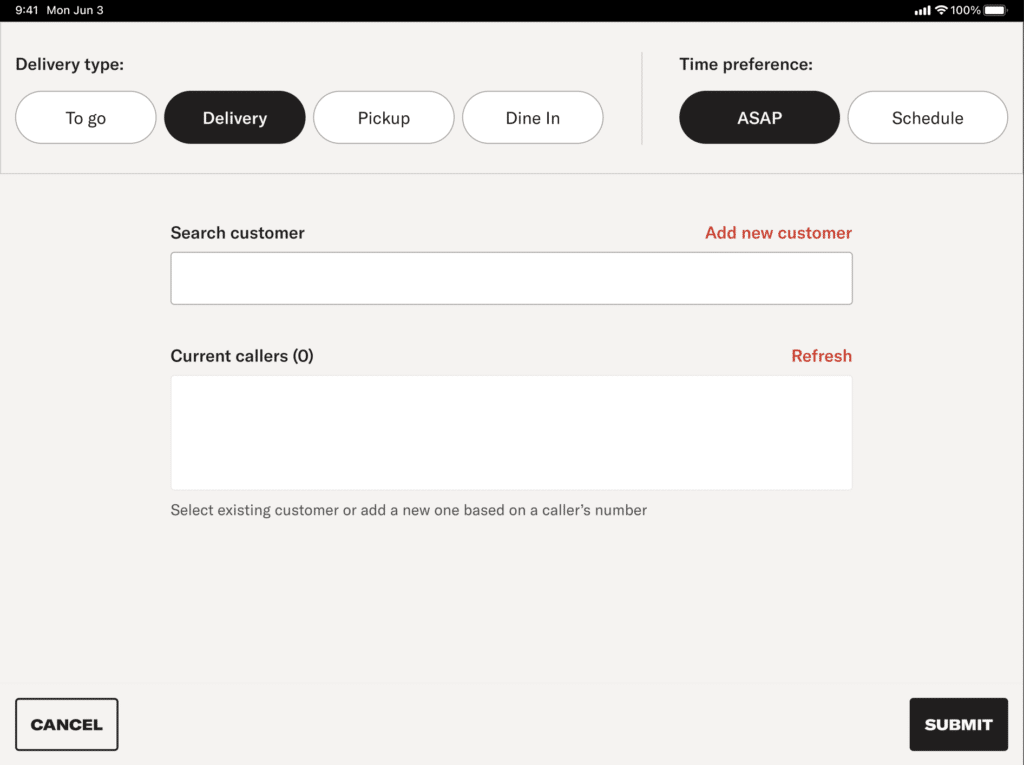
3. Enter the customer address
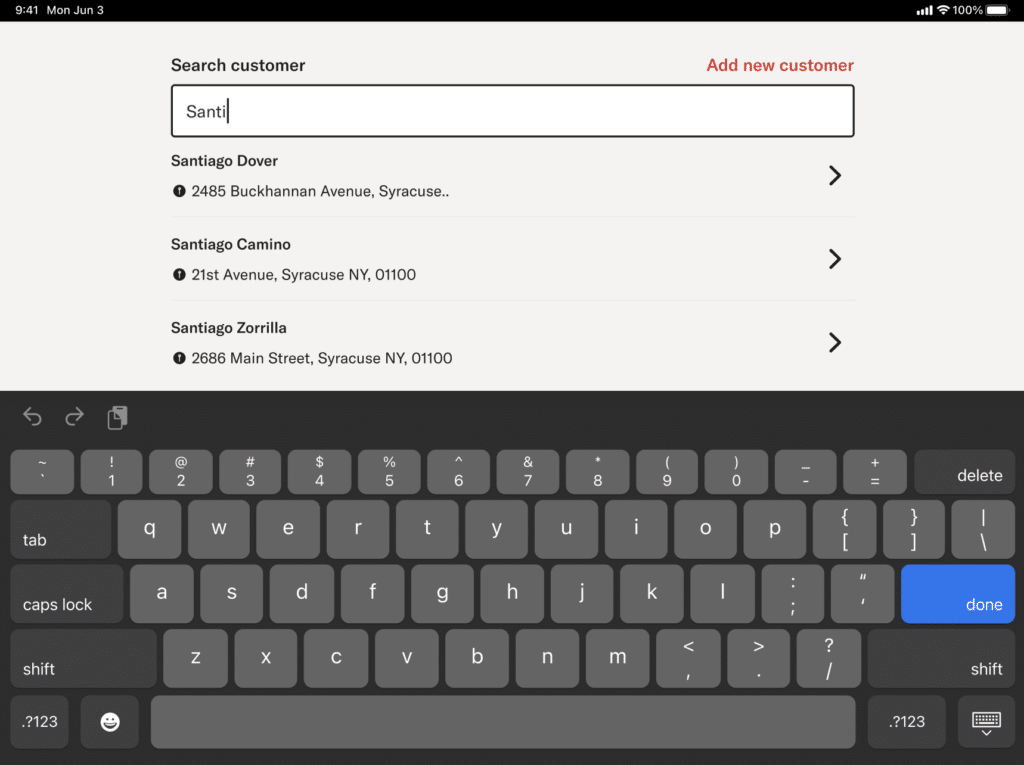
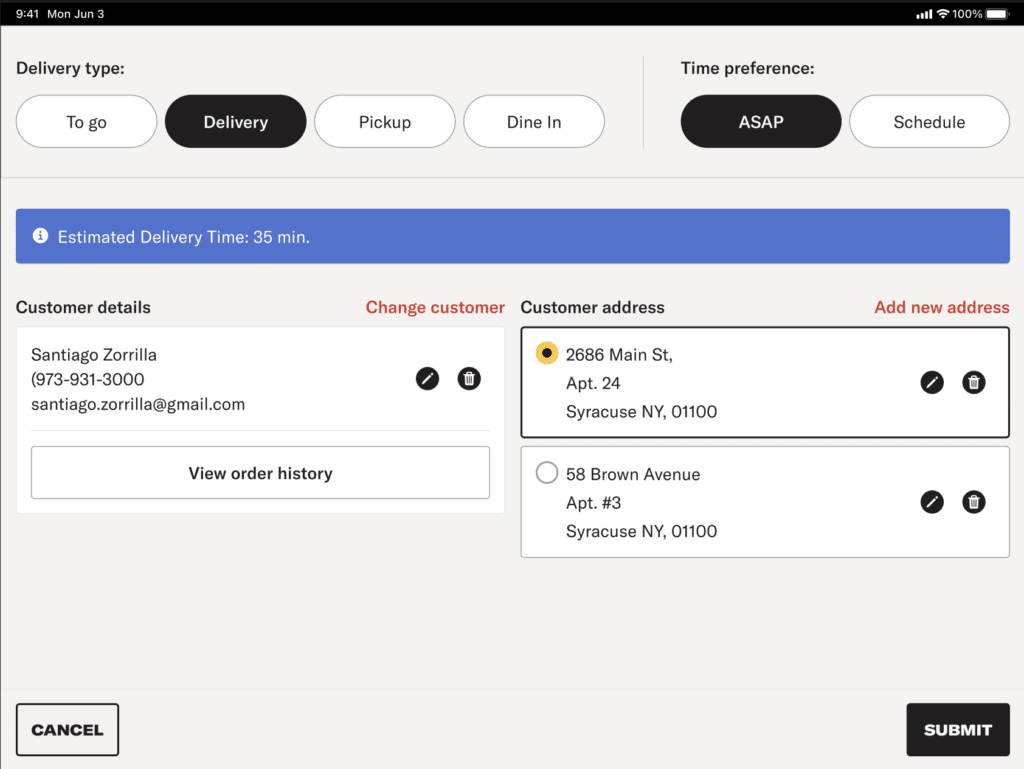
4. After entering the address, the estimated delivery time from the delivery provider is shown
5. Confirm the delivery time with the customer
If a driver is not available
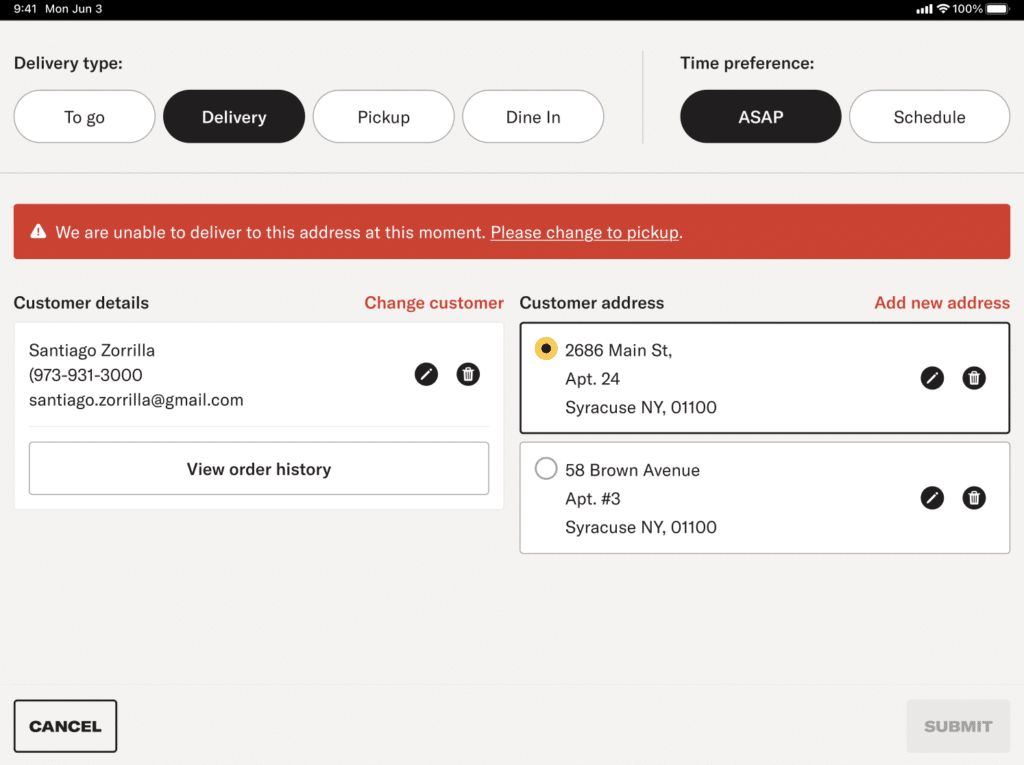
- You can change the order to Pickup – Tap Please change to pickup
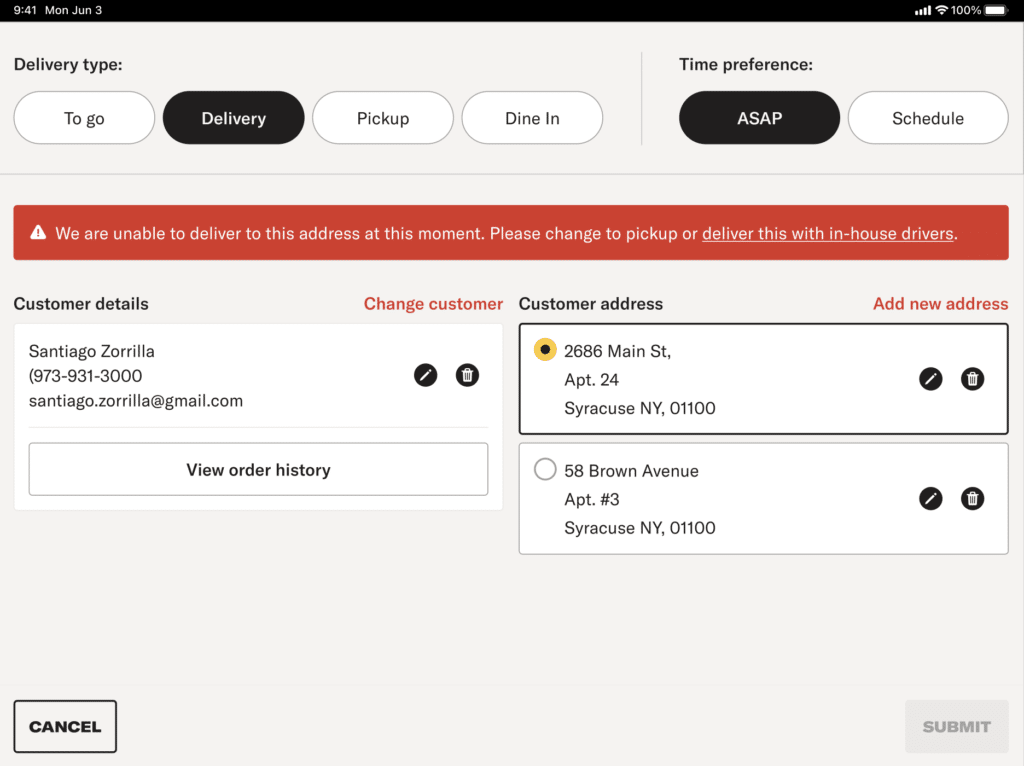
- If your shop uses Flex Delivery, you can deliver the order with your own drivers – Tap Deliver this with in-house drivers
Note:
– Using in-house drivers does not turn off Flex Delivery.
– Future delivery orders will still use Slice Delivery.
Complete the order
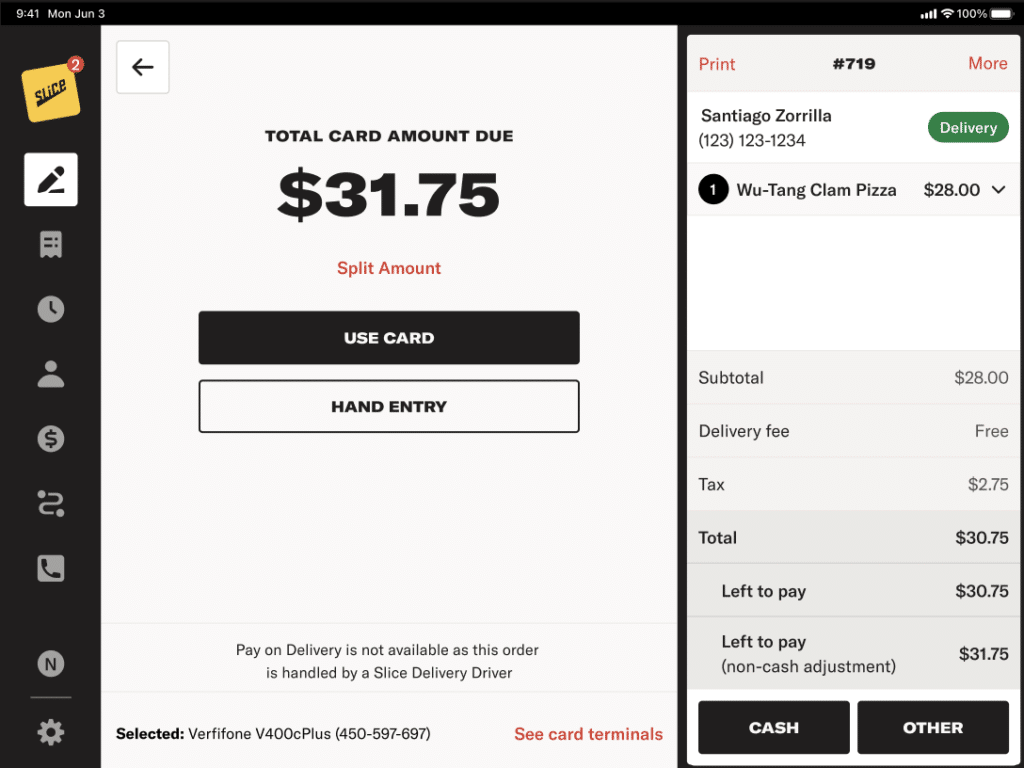
6. After submitting the order, take payment.
7. After the order is created, you can track the delivery from the order.
8. Driver tracking works the same as Slice Delivery orders placed online
Pay on Delivery is not available for Slice Delivery orders.
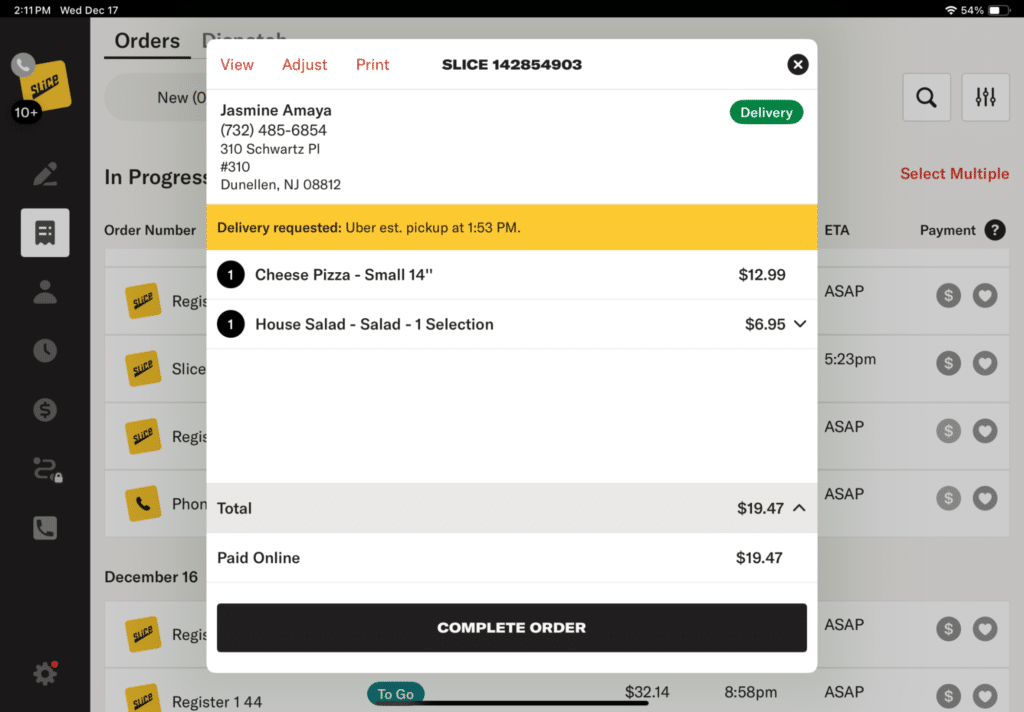
If your shop is using Slice Phone, they will dispatch outsourced drivers for you. Orders will appear on your Register like above, with a tracking link.
Canceling Deliveries
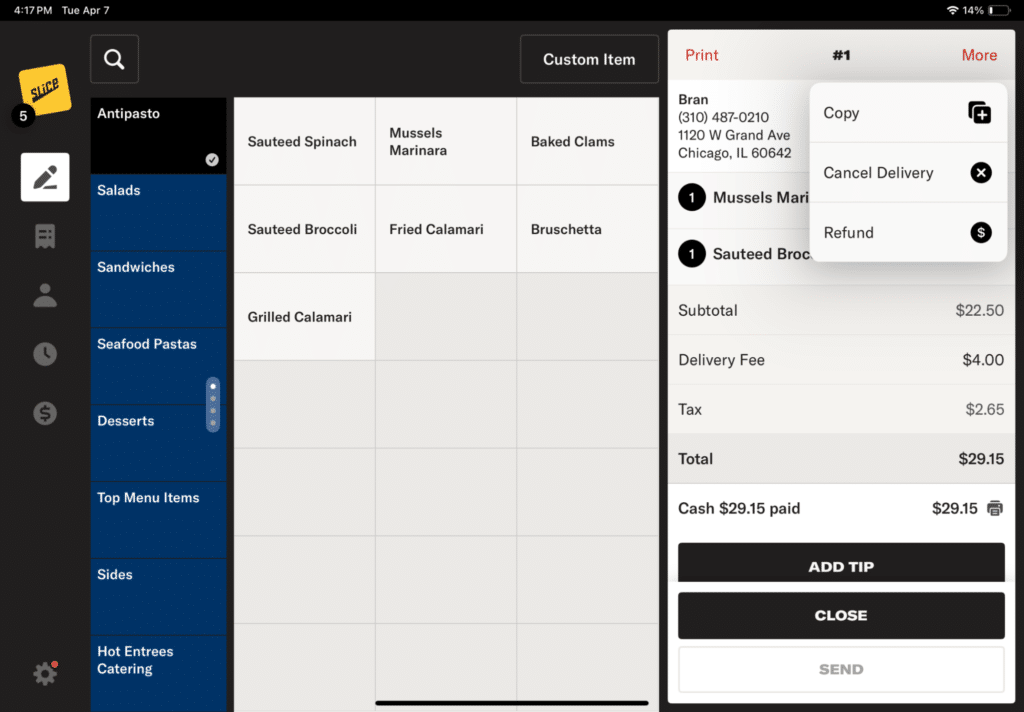
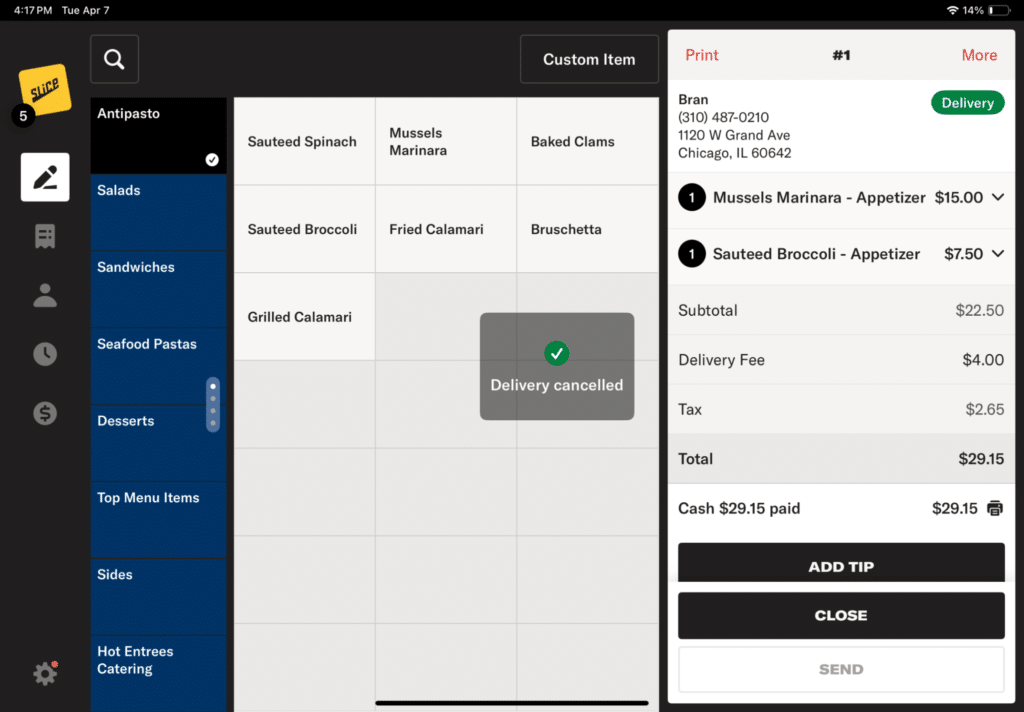
You can cancel an outsourced delivery from the Register and deliver the order yourself.
- Open the order and tap “View”
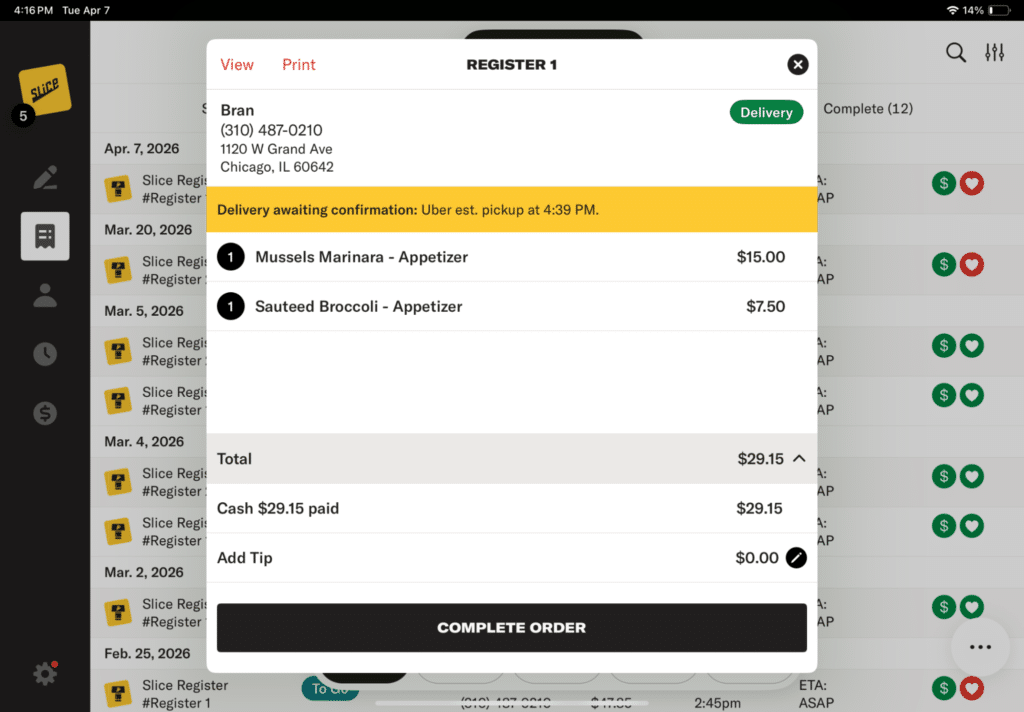
2. Tap “More”, and then “Cancel Delivery”
3. The delivery is cancelled
Refunds
If there is an issue with a delivery:
- Refund the customer from the Register
If you believe the issue was caused by the delivery provider (Uber or DoorDash), contact their support team to request a refund:
- Uber: [email protected] or call 866-987-3750
- DoorDash: [email protected] or call 855-222-8111
Include a copy of the receipt when submitting your request.
If approved, the payment will be returned to your shop within 14 days.
Driver Tracking
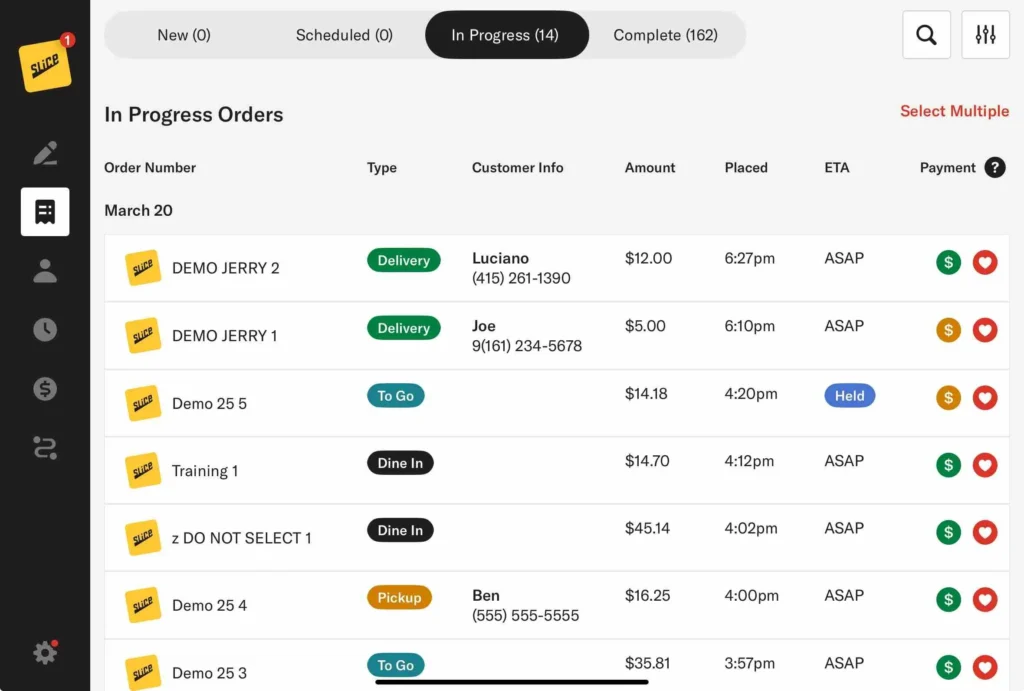
Delivery orders are received on the iPad and are either automatically accepted and sent to In Progress or appear on the New Orders page for manual confirmation, depending on your shop’s Settings.

When you tap on an order, you’ll see a yellow status tracker showing when the driver is assigned and their estimated arrival to your shop. Once the order is picked up, you’ll see an estimated drop-off time. The status will update again when the order is delivered.
Tap the arrow on the right side of the tracker to open a live map with the driver’s real-time location.

The live map shows where the delivery is in real time, both in relation to your shop and the customer’s address. You’ll also see the time the driver picked up the order and their estimated delivery time..
This makes it easy for your team to track deliveries and answer customer questions without needing to make a call.
Driver Tracking – Slice Consumer App
The Slice app gives your customers live updates as their delivery moves through each step. Here’s what they’ll see after placing a Slice Delivery order:

Order confirmed: The customer sees a confirmation message once the order is accepted by your shop.
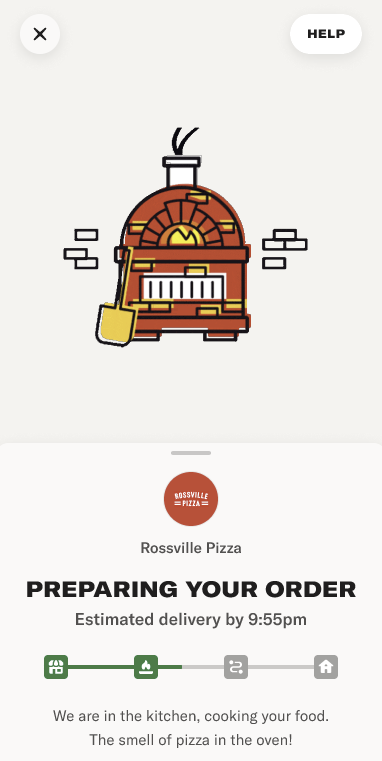
Preparing your order: The screen updates to show that your team is making the food.

Out for delivery: The app shows a live map with the driver’s location and the customer’s address. An estimated delivery time appears below the map.
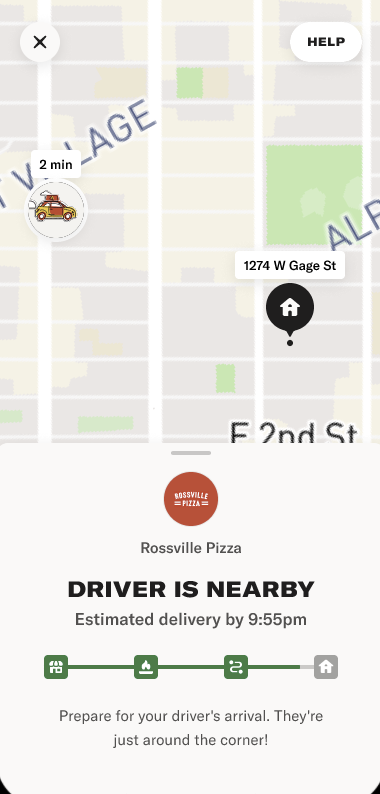
Driver is nearby: As the driver approaches, the map zooms in. The message updates to let the customer know the driver is just around the corner.

Driver has arrived: Once the driver reaches the customer’s location, the map updates one last time to say the driver has arrived.
Each screen includes an updated status bar and clear instructions, helping your customers know exactly when to expect their order.
Flex Delivery
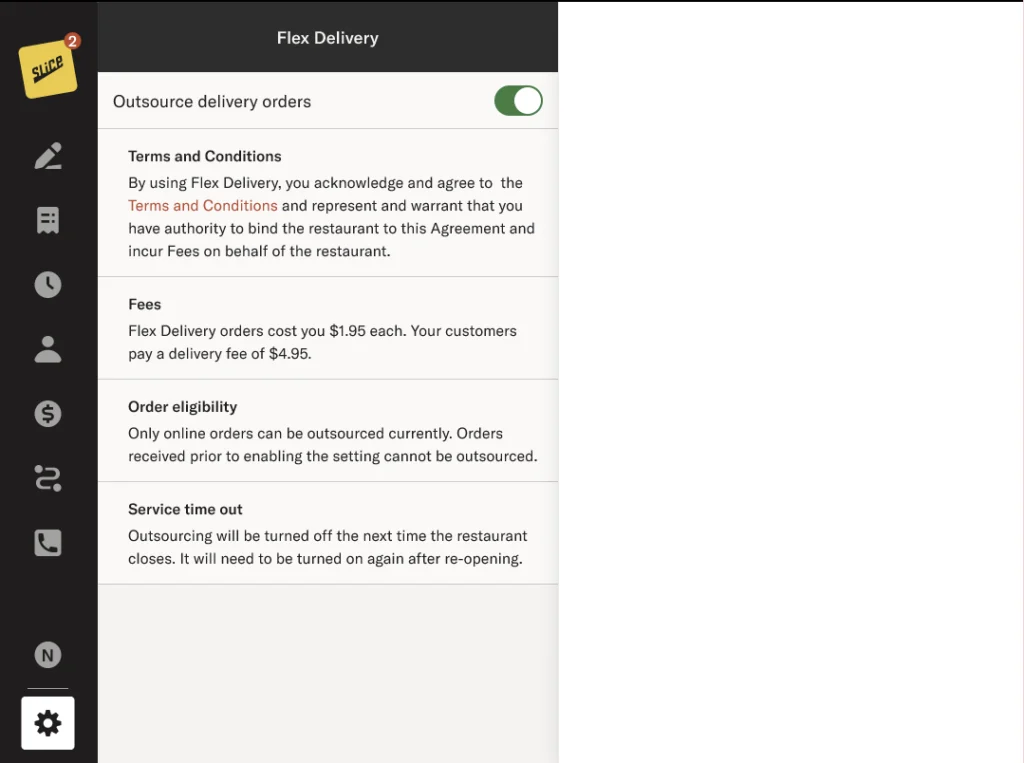
Flex Delivery gives you control over when to use your drivers and when to use Slice Delivery. It’s a simple way to get backup when you need it, without changing your day-to-day operations.
If Flex is enabled on your account, you’ll see a Flex Delivery toggle in your Settings.

When the toggle is on, Slice will dispatch a driver automatically when an order is ready.
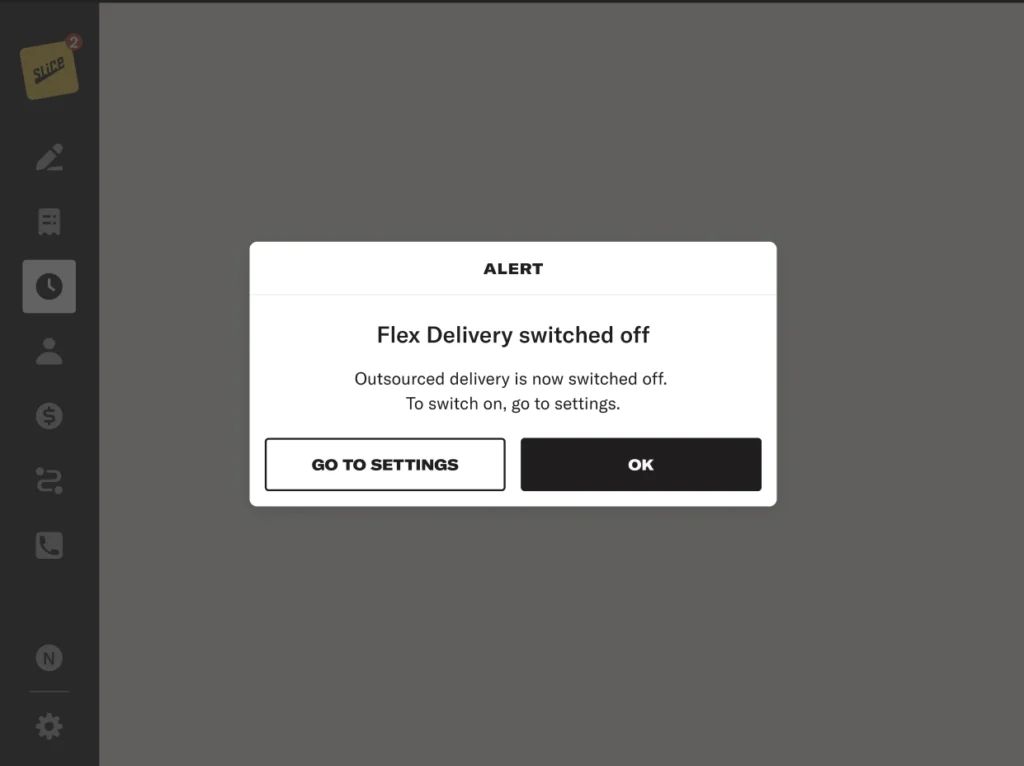
When the toggle is off, delivery orders go to your in-house drivers.
To enable or disable Flex Delivery on your account, contact your Account Manager or call Slice Support at (855) 237-4992.
Troubleshooting and support
If you notice an issue — like missing tracking info, a no-show driver, or a delay — call Slice Support at (855) 237-4992. We’ll work with the delivery partner to resolve the issue.